
The Media Transcoding Engine,
Built for AI Agents.
AI developers are brilliant coding assistants, but media transcoding workflows remain notoriously fragile. Guessed FFmpeg parameters, silent Display P3 matrix mismatches, or unnotarized binaries leading to OS-level sandboxing blocks are common failure points.
Sequency Agent CLI connects Codex, Claude Code, Gemini CLI, and Copilot directly to Sequency's native macOS media engine. It replaces complex command guesswork with robust, deterministic JSON contracts.
Validates AVFoundation capabilities, Core Image sandboxing, and Metal GPU device health.
The Hard Truth: Manual Scripting vs. Structured Contracts
Relying on LLMs to construct native FFmpeg pipelines triggers systematic edge-case failures. Sequency provides deterministic, machine-readable validation.
| Workflow Phase | Manual Shell Scripting / FFmpeg | Sequency Agent CLI Pipeline |
|---|---|---|
| Session Health Check | Shell commands execute blindly. Silent permissions failures, missing sandbox authorizations, or codec unavailability are only caught mid-execution. | agent doctor proactively validates macOS AVFoundation, sandbox clearance, and Metal hardware acceleration. |
| Live Capabilities | AI relies on outdated training data parameters, inventing invalid flag configurations and triggering parsing crashes on runtime versions. | agent manifest emits a structured JSON contract detailing exact supported codecs, containers, and color maps. |
| Format Inspections | Custom ffprobe scripts yield heavily complex console output. Parsing metadata for multi-channel audio or image sequences requires fragile regex. | info --json retrieves exhaustive profiles: codec names, frame rates, aspect dimensions, audio formats, and camera parameters. |
| Run Validation | Script processes write directly to destination paths, executing heavy encoding loads only to crash late due to path typos or format mismatches. | The --dry-run --json route simulates the conversion pipeline, returning output dimensions and color conversions without encoding any bytes. |
| Output Integrity | Processes exit with non-zero codes but emit corrupted, out-of-sync, or completely empty files silently on Apple hardware encoding layers. | Automated output checksums verify structural integrity. Emits clean structured JSON results containing filesizes, durations, and exit statuses. |
Two Front Doors. One Solid Engine.
Whether you drag media files into our visual macOS app or delegate exports directly to your automated AI agent workflow, the underlying hardware rendering layer remains identical.
The Sequency macOS App
Drag video assets or camera folders. Choose visual settings, scrub proxies, check histograms, and monitor exports in a sleek native desktop environment.
- Drag-and-drop workflow with instant folder sequence matching
- Visual color routing supporting OpenColorIO (OCIO) configurations
- Interactive batch queues with granular Pause, Resume, and Stop controls
The Sequency Agent CLI
A machine-readable media pipeline interface. Your AI assistant inspects footage, maps layouts, performs validations, and executes transcodes in total sync.
- Structured JSON query protocols that eliminate regex-parsing headaches
- Proactive validations and dry runs to prevent late failure crashes
- Integrated exit status logs and post-export file checks for reliability
"Your agent verifies the exact encoding route before a single byte is ever committed to disk."
The Operator Path: Interactive Simulation
Click through the 6 phases below to see exactly how an AI agent uses the CLI to validate, inspect, plan, execute, and verify professional media transcodes.
Deep Camera Parameters, Exposed
For BRAW and ARRI footage, Sequency's metadata inspector maps native camera controls (Exposure, White Balance, ISO, and Proxy controls) directly, giving your agent full control without syntax guesswork.
Machine-Readable Payload Standard
Parsing CLI progress bars and human logs leads to fragile integration code. Every Sequency command communicates using rigid, structured JSON interfaces.
{ "status" : "dryRun", "summary" : { "audioOption" : "copyFromSource", "colorConversionEnabled" : false, "inputColorSpace" : "sRGB", "inputKind" : "videoFile", "inputPath" : "/shots/A001C006.mxf", "outputCodec" : "h264", "outputColorSpace" : "sRGB", "outputContainer" : "videoFile", "outputFrameRate" : 23.976, "outputKind" : "videoFile", "outputPath" : "/exports/A001C006.mp4", "overwroteExistingOutput" : false, "resolution" : { "height" : 2160, "width" : 3840 }, "videoDecodePath" : "avfoundation" }}Verifiable Agent Skill Installation
No fragile curl scripts or public registry exposure. Install the notarized macOS CLI engine directly through our authenticated local transaction loop.
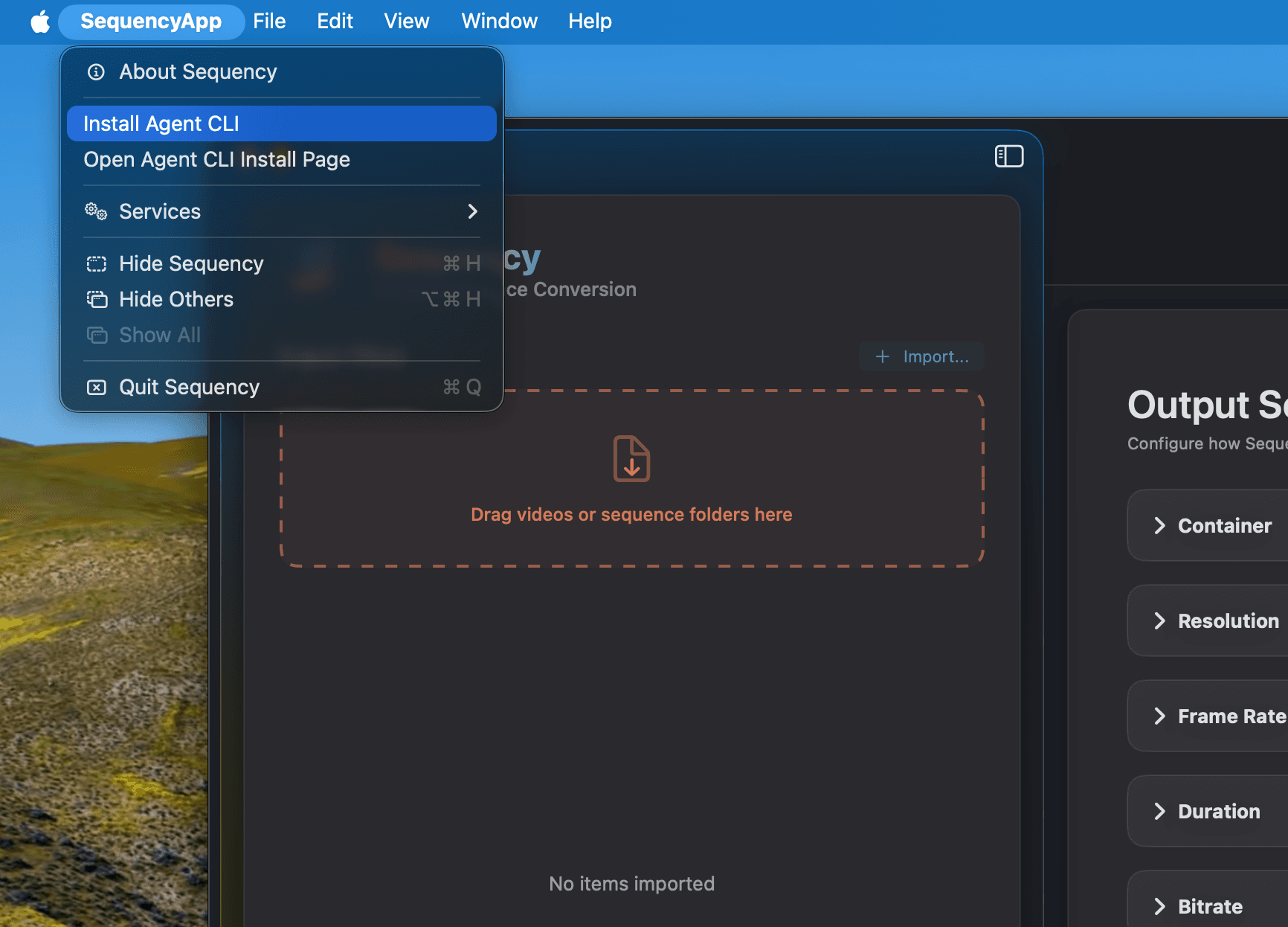
Reinstalling the package updates binary symbols in place, preserving existing developer tool configurations.
Supported Pipeline Formats & Capabilities
The Sequency Agent CLI shares 100% feature parity with the GUI engine. No skipped formats, no proxy limitations, and full OpenColorIO (OCIO) / ACES support.
Deterministic media pipelines are a command away.
Get the same professional macOS-native rendering engine in the terminal. No more FFmpeg flag guessing or silent gamma shifts.